
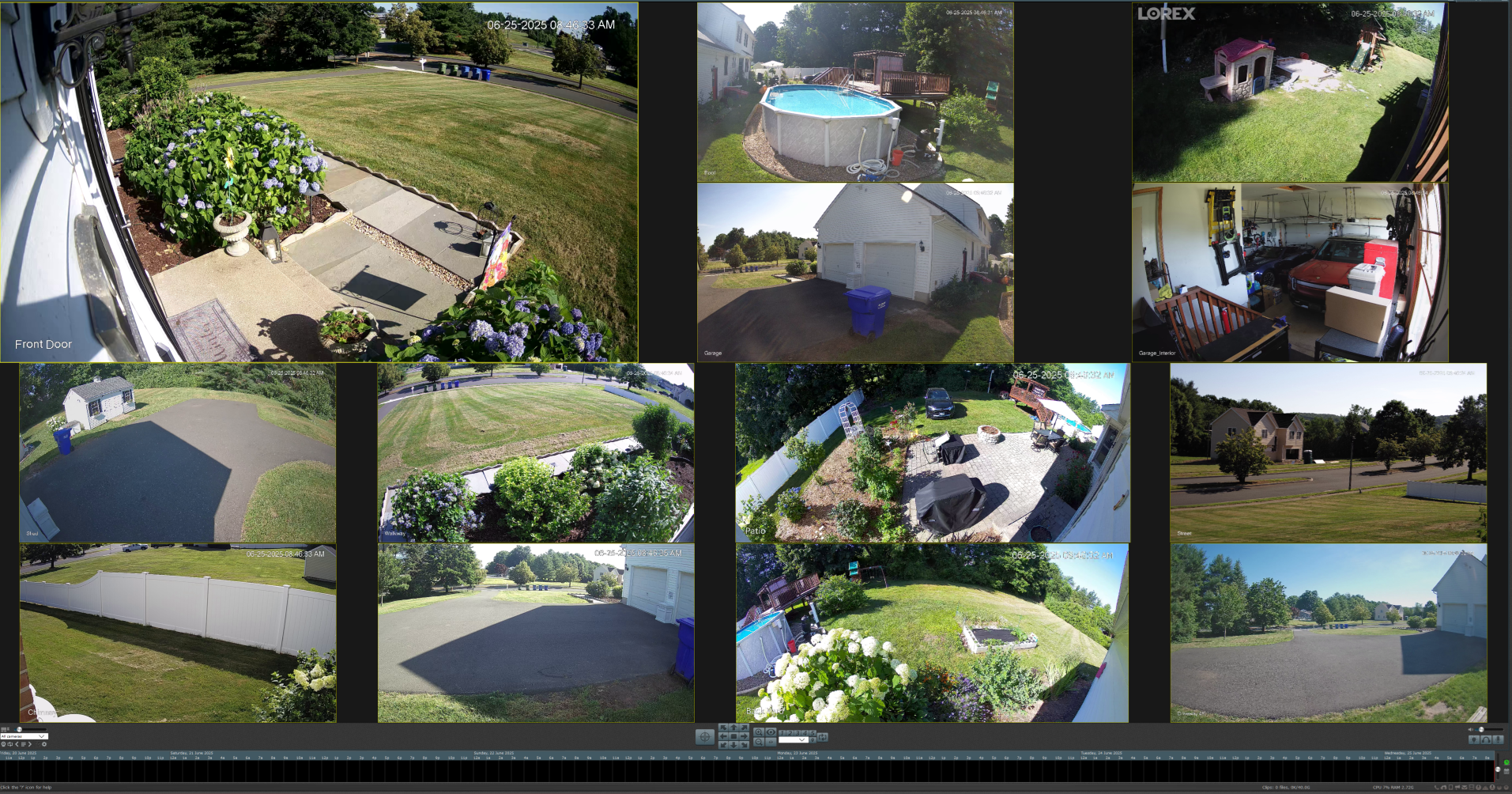
This is the question I get asked the most by clients shopping for cameras: "Lorex or Ring — which should I get?" The honest answer is: it depends entirely on what you're trying to accomplish. They're not actually competing for the same job.
Here's the practical comparison from a tech who installs both systems in Connecticut homes and small businesses regularly.
The fundamental difference (and why it matters)
Ring is a subscription-first ecosystem. Cameras are cheap up front, but the system is built around the Ring Protect monthly fee. Without the subscription, you lose video history, smart alerts, and most useful features. Your footage lives in Amazon's cloud.
Lorex is a buy-once ecosystem. Cameras cost more up front, but you get a recorder (NVR or DVR) that stores everything locally on a hard drive. No monthly fee. Your footage lives in your house.
That single difference drives nearly every other tradeoff. Let me break it down.
Image quality
Both have come a long way in 2026, but they're tuned for different goals.
Lorex (current 4K lineup):
- 4K resolution actually rendered at 4K (no compression artifacts to keep cloud bandwidth down)
- Strong color night vision on the higher-end models
- IP67-rated weatherproofing on the wired outdoor cameras — handles a Connecticut winter without complaint
Ring (2026 lineup):
- Most cameras top out at 1080p or 1440p; the Pro 2 and Floodlight Pro hit 2K
- Cloud compression noticeable when you scrub back through footage
- IPX5/IPX6 rated — fine for rain, less rugged than Lorex in heavy snow or salt-air conditions
If you're trying to read a license plate, identify a face from across the yard, or zoom into footage after the fact — Lorex wins on raw quality. If you mostly want to see "yes, someone is on my porch" and respond in the moment — Ring is more than enough.
Monthly costs
This is where most clients underestimate the total cost.
Lorex:
- No monthly fee if you stick with local recording on the NVR (the default setup)
- Optional Lorex Cloud subscription if you want cloud backup layered on top of local
- Most clients I install for run zero subscription
Ring:
- Ring Protect is a per-camera monthly fee, with a flat tier for unlimited cameras
- Without it, you get live view only — no recording, no event review, no smart alerts. The cameras are crippled.
- Over a few years, those recurring fees on a 4-camera Ring system add up to a meaningful chunk of money — often comparable to the hardware cost itself
If you're keeping the system for more than 2 years, Lorex is dramatically cheaper over the lifetime of the system. Ring's cheap up-front price is largely offset by 5 years of fees.
Installation
Lorex (wired):
- Requires running cables from cameras to the NVR (the recorder box)
- Power-over-Ethernet means a single cable per camera carries both power and video
- Typically a 4–6 hour install for a 4-camera setup, more in homes with finished basements/attics
- DIY is doable for handy homeowners but most clients hire an installer
Lorex (wireless):
- Cameras run on rechargeable batteries
- Recharge cycle: every 3–6 months depending on traffic
- Much easier to install, but battery management gets old quickly
Ring (battery cameras):
- 5-minute install per camera, no wiring
- Battery lasts 3–6 months between charges
- Best for renters, apartments, or anyone who can't drill into walls
Ring (wired/floodlight):
- Needs an existing junction box at the install location
- Easier than running Lorex cables, but less placement flexibility
If you want maximum image quality and zero subscription, install a wired Lorex system. If you want easy install and you're already paying for cloud anyway, Ring is faster to get running.
App experience
Ring's app is honestly the smoother experience. Bigger budget, more polish, simpler for non-technical users. The notification flow, smart alerts (person/package/vehicle detection), and integration with Alexa is excellent.
Lorex's app has gotten better in 2026 but still feels like a security company's app — capable, less polished. The Smart Home Security Center hub bridges some of the gap if you want a touchscreen interface at home.
For tech-comfortable users, Lorex's app is fine. For "I just want to see who's at the door from my phone" non-technical users, Ring is more forgiving.
Privacy
This is increasingly important for people in 2026.
Lorex: Your footage stays on your NVR by default. Nobody else sees it. No data goes to a third-party cloud unless you opt in.
Ring: Footage uploads to Amazon's cloud. Amazon has historically shared footage with law enforcement requests, and Ring has had a few publicized data breach incidents over the years.
If privacy is a concern — Lorex wins clearly.
Field of view and night vision
Both have models with similar field-of-view specs (around 110–150 degrees). What I see in practice:
Lorex dominates after-dark imaging. The infrared range on a wired Lorex bullet cam reaches 100+ feet in pitch dark, and the color night vision on models with built-in floodlights is good enough to identify a person's face from across a driveway.
Ring's night vision is decent but more limited in range. The Floodlight Cam Pro is the strongest Ring model for nighttime — comparable to mid-tier Lorex.
For a CT property where the road or driveway is more than 30 feet from the camera, go Lorex. For doorbells or porch coverage at close range, Ring is fine.
Reliability
Lorex is wired (in most setups) and powered by the same circuit 24/7. As long as the NVR has power, the cameras work. Power outage = system goes down (unless you put the NVR on a UPS — which I recommend).
Ring depends on your WiFi. WiFi flaky? Cameras flaky. A weak signal at the front of your house means missed events. See slow WiFi at home: 7 fixes before assuming Ring is "broken."
Which one I recommend for which customer
Get Lorex if you:
- Want 4K image quality you can actually zoom into
- Want zero monthly fees long-term
- Want footage stored locally for privacy
- Have a property that needs coverage at distance (driveways, parking lots, large yards)
- Run a small business and need real evidentiary-quality footage
- Plan to keep the system 5+ years
Get Ring if you:
- Want the easiest install possible
- Already use Alexa heavily
- Only need to monitor the front porch and one or two close-range spots
- Are okay paying a recurring subscription forever to keep the cameras useful
- Rent and can't drill or run cables
- Want the cleanest, most polished app experience
For a full deep dive on the Lorex side, see Lorex Camera Review 2026: Is It Worth It, where I go into the specific model lineup and which configs I recommend.
What I actually install most often
For most central-CT homes, I install one ecosystem end-to-end rather than mixing brands. Lorex has a complete lineup — wired cameras, NVR, doorbells, and floodlight cams — so a typical install is all-Lorex: an NVR with 4–6 wired cameras for the property, plus a Lorex doorbell and floodlight cam where they're useful. One app, one account, all footage on the same NVR.
When a Lorex wired install isn't the right fit — usually because the home can't easily be cabled, or the customer wants a fully wireless setup with no NVR — I'll go all-Eufy instead. Eufy runs on rechargeable batteries with optional solar panels, stores locally, and has its own doorbells and floodlights, so the same single-ecosystem approach works without the wiring.
For premium residential and small-business jobs where the customer wants the best image quality, real PoE infrastructure, and a system that integrates with the rest of their network, I install Unifi Protect cameras instead. Same single-ecosystem philosophy — Unifi NVR, Unifi cameras, Unifi doorbell — no monthly fee, everything in one app, and the underlying networking gear is enterprise-grade.
Mixing Lorex and Ring (or any two ecosystems) in the same house is something I almost never do. Two apps, two accounts, two sets of firmware updates, and footage scattered across two storage backends — the friction isn't worth it for the customer.
A note on bandwidth
If you have a Ring-heavy setup or you're cloud-backing-up your Lorex footage, you'll feel the upload speed bottleneck on cable internet plans. Each Ring camera streaming a clip uses 1–3 Mbps; a system of 4 cameras can saturate a 20 Mbps cable upload pipe quickly. Fiber's symmetric upload removes that bottleneck entirely — see Frontier Fiber vs Xfinity for CT homes.
What it costs to have either installed in CT
Pricing varies widely depending on the layout of the house, the number and placement of cameras, and the materials and labor involved. A single-story ranch with easy cable runs is a very different job from a two-story Colonial with finished basements and attic crawlspaces, and a battery-and-solar Eufy install is different again. Hardware costs also swing depending on whether you're going with Lorex, Eufy, or a premium Unifi setup.
I price every job after walking the property — see my computer and tech service pricing for CT page for context on how I price work locally, and reach out for a free quote on your specific install.
FAQ
Can I mix Lorex and Ring cameras in one system? Technically yes — you can run them in parallel, each on its own app — but they don't share a unified interface, and in practice I almost never install two ecosystems in the same house. Sticking to a single brand (all Lorex, all Eufy, or all Unifi depending on the job) avoids the two-app, two-account headache for the customer.
What about Eufy, Unifi, or other brands? The three I actually install in CT are Lorex (wired, local storage, no fees — the mainstream choice), Eufy (battery and solar, local storage, when wiring isn't an option), and Unifi Protect (premium PoE setups for high-end residential and business customers). I don't install Reolink or Nest — Reolink hasn't earned my trust on reliability, and Nest is a subscription-driven cloud ecosystem in the same category as Ring.
Do I need 4K cameras? For most home use, 1080p or 2K is fine. 4K matters when you need to zoom in on details (license plates, faces at distance) after the fact. For a small business that may need evidentiary footage, 4K is worth it.
How long does footage stay on a Lorex NVR? Depends on hard drive size and number of cameras. A 4-camera setup with a 4 TB drive typically holds 14–30 days of continuous recording, longer with motion-only recording.
Will my homeowner's insurance discount apply to either system? Most insurers offer 5–10% discounts for monitored systems, less for self-installed unmonitored cameras like these. Worth asking your agent, but don't buy a system primarily for the discount.
Want help deciding which configuration suits your property? CT Tech Express does security camera consultations, sales, and installs across central CT — call (860) 398-9221 or book online.