
A cyber insurance application is a security audit disguised as a form. The questions look like yes/no boxes, but each one is the carrier asking whether you have the handful of controls that stop most claims. Answer "yes" to things you do not actually have and you risk a denied claim when it matters. Answer "no" and the premium climbs or the application gets declined.
I get handed these forms by Connecticut business owners a few times a year, usually with a renewal deadline attached. This post walks through what the common questions mean, what "yes" really requires, and how to get there. It is general information from an IT person, not insurance advice. Your broker and the specific carrier's form decide what applies to you.
Why the form matters more than it used to
Five years ago a small business could get a cyber policy by answering a few questions and paying. Ransomware claims changed that. Carriers now want to see specific controls in place before they write the policy, and the application is where you attest to them.
The attestation is the part people miss. If you check "we use multi-factor authentication on all remote access" and a claim investigation finds the office VPN never had it, the carrier has grounds to deny. The form is not a wish list. It is a statement of fact that you sign.
So the goal is not to get every box to "yes" by any means. It is to actually have the controls, then answer accurately.
The questions that come up on almost every form
Wording varies by carrier, but these eight show up nearly every time.
1. Do you use multi-factor authentication for email, remote access, and administrative accounts?
This is the question most likely to get a small business declined. Carriers typically want MFA in three places: email (Microsoft 365 or Google Workspace), any remote access into the network (VPN, remote desktop, remote support tools), and administrator accounts on everything.
What "yes" requires: every user, not just the owner, with MFA enforced rather than offered. In Microsoft 365 that means security defaults or a Conditional Access policy that requires it for everyone. If anyone can still sign in from a new device with just a password, the honest answer is "partially," and most forms do not have that box. I wrote up the exact settings in Microsoft 365 security settings every small business should turn on.
2. Do you have endpoint detection and response (EDR) on all computers and servers?
Older forms asked about "antivirus." Current forms ask for EDR, which is a different thing. Antivirus matches known bad files. EDR watches behavior, records what happened on the machine, and can isolate a computer from the network when something goes wrong. Carriers ask for it because it is what actually stops a ransomware incident from spreading.
What "yes" requires: an EDR product on every machine, including the one in the back office nobody uses and the server, managed from one console, with someone who sees the alerts. We use Bitdefender GravityZone for this. The consumer antivirus that came with the PC does not count, and a mix of products across machines is a "no."
3. Are backups kept offline or immutable, and are they tested?
The carrier is asking whether a ransomware attack would also take out your backups. A backup drive that stays plugged into the server, or a cloud sync folder that mirrors every change, gets encrypted right along with everything else.
What "yes" requires: a backup that goes somewhere the attacker cannot reach from the infected machine, with version history so you can go back to before the encryption, and a restore that has actually been tried. "Tested" means somebody restored a file or a folder and confirmed it opened. Write down the date you did it. The security checklist post covers the backup basics in more detail.
4. Do you filter email for phishing and malicious attachments?
Most business email compromise starts with a message that got through. Carriers want to know there is a layer looking at inbound mail beyond the basic spam filter.
What "yes" requires: for Microsoft 365, Defender for Office 365 (included with Business Premium) with Safe Links and Safe Attachments turned on, or a third-party filtering service doing the same job. Having the mailbox and nothing else is a "no." Email authentication for your own domain, SPF, DKIM and DMARC, also shows up on some forms. Why business email goes to spam explains those three records.
5. Are operating systems and software patched promptly? Are any unsupported systems in use?
The second half is the trap. Windows 10 stopped receiving security updates in October 2025, and I still find it running in offices every week. A machine on an unsupported operating system is a "yes" to the unsupported-systems question, and that answer affects coverage.
What "yes" requires: every machine on a supported operating system, updates installing on a schedule with failures noticed, and third-party applications included, not just Windows. Managed patching through an RMM tool is how a small business proves this. "Automatic updates are on" is not evidence; a report showing patch status per machine is.
6. Do users have local administrator rights? Are privileged accounts separated?
Ransomware does more damage when the person who clicked the link is an administrator. Carriers ask whether everyday accounts run with admin rights and whether admin accounts are used for daily work like email.
What "yes" requires: standard user accounts for daily work, separate admin accounts used only when needed, and a short list of who holds them. On a small network this is an afternoon of work and a little retraining about the "enter admin password" prompt.
7. Do you have a written incident response plan?
Not a binder. A page or two that says who gets called, how machines get isolated, where the backups are, who talks to clients, and who talks to the insurer. The carrier wants to know you will not spend the first six hours of an incident figuring out who is in charge.
What "yes" requires: the document exists, people know where it is, and it has been looked at in the last year. Our post on the first hour after a hack is a reasonable starting outline. If you also fall under the FTC Safeguards Rule, an incident response plan is on that list too.
8. Do employees receive security awareness training?
Carriers ask because people click things. The question usually asks whether training happens at least annually and sometimes whether you run phishing simulations.
What "yes" requires: a dated record that training happened and who attended. For a ten-person office that can be a 30-minute session with a sign-in sheet. Simulated phishing is a plus, not usually a requirement on small-business forms.
Questions that show up less often but matter
- Do you have a cyber incident or breach history? Answer it accurately. Prior incidents do not automatically disqualify you, but an undisclosed one can void the policy.
- Do you process payments or store card data? This pulls in PCI questions.
- Do you use remote desktop (RDP) exposed to the internet? The right answer is no. RDP open to the internet is one of the most common ways ransomware gets in, and some carriers treat it as disqualifying.
- Is there a firewall with current firmware? A consumer router from the cable company is a weak answer. A managed firewall or gateway that gets updates is the expected one.
- Are there end-of-life devices on the network? Same idea as unsupported operating systems, applied to firewalls, switches, and servers.
How to prepare without guessing
The application usually arrives with a two-week deadline, which is not enough time to fix anything, so the work has to happen before renewal season. The order I use:
- Inventory first. List every computer, server, and network device. You cannot answer the EDR or patching questions without it.
- MFA everywhere. Email, remote access, admin accounts. This one gets the most weight.
- EDR on every machine from one console, with alerts going to a person.
- Backups off-site with version history, then a test restore with a date written down.
- Patch management with a report, and replace anything on Windows 10.
- Admin rights cleanup. Standard accounts for daily work.
- Write the incident response page and hold a short training session.
- Keep the evidence. Screenshots of MFA policies, the EDR console, the backup report, the patch report. If a claim is ever investigated, this is what you will be asked for.
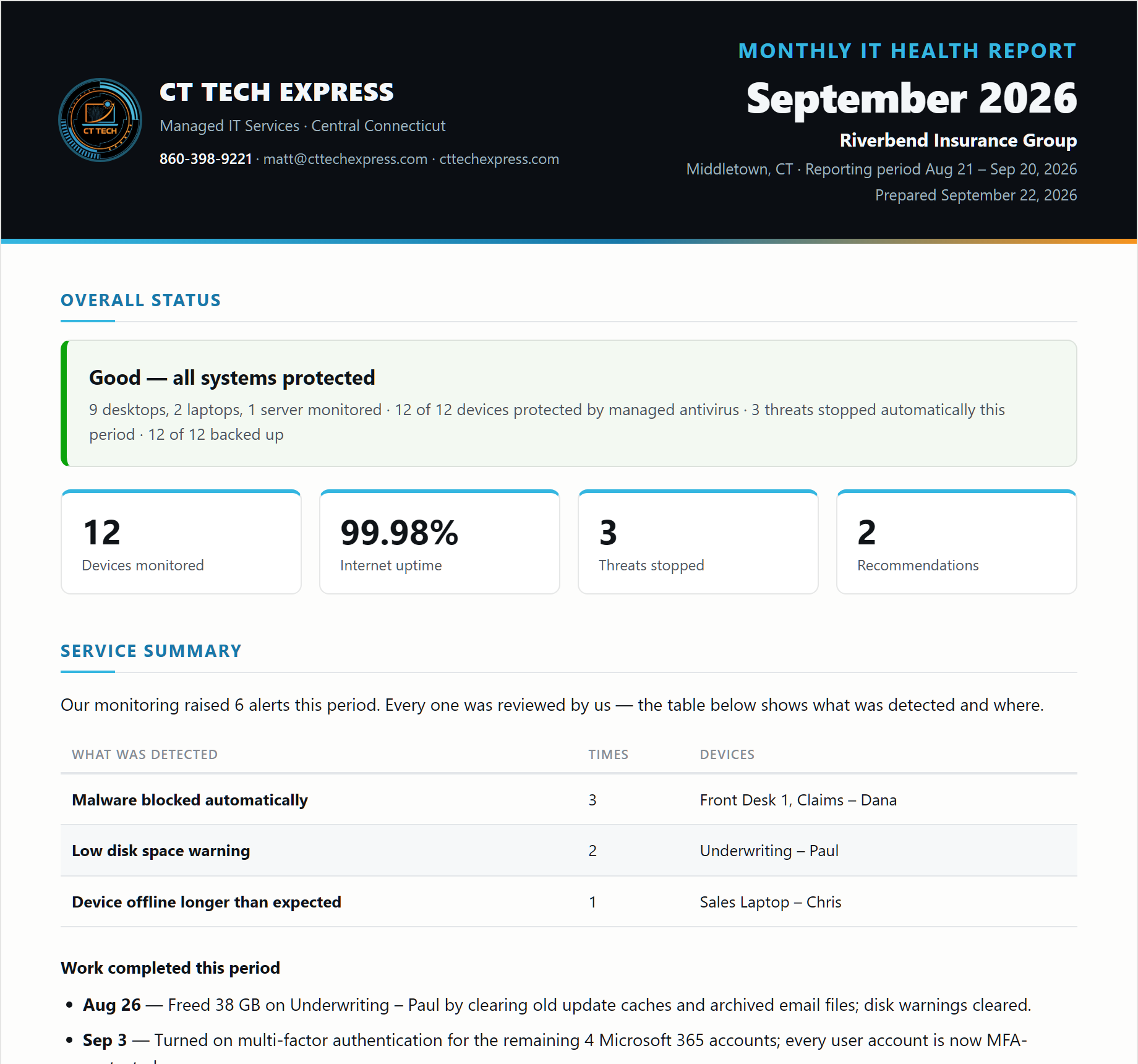
A monthly IT health report that lists every machine with its protection, patch, and backup status answers most of the form by itself, which is one reason I push clients to have one. How to read a monthly IT report covers what that document should contain.
A Connecticut business had its bank account compromised this fall and asked us to sweep every computer. The machines came back clean. The exposure was everything the insurance form asks about: finance and email passwords saved in a personal browser profile, no MFA on the bank or the mailboxes, and a stack of vendor "we changed our bank account" emails that nobody had phone-verified. The bank wanted a written report; an insurer would have wanted the same answers before paying a claim.
The bottom line
Cyber insurance questionnaires ask the same eight things because those eight things stop most claims: MFA, EDR, off-site tested backups, email filtering, patching with no unsupported systems, no everyday admin rights, an incident response plan, and training. Answer honestly, fix the gaps before renewal rather than after, and keep proof of each control. The premium is the smaller cost. The denied claim is the big one.
If you have a form sitting on your desk, get your company's free IT health report. It is an on-site look and a written summary of where you stand, no software installed and no obligation, and it maps closely to what the carrier is asking. Managed IT keeps the controls running month to month with no retainer, and you can contact me if you want a second set of eyes on the application before you sign it.
This is general information from an IT provider, not legal or insurance advice. Requirements differ by carrier and policy; rely on your broker and the actual application.