
Switching IT providers is mostly a paperwork problem, and the paperwork is a list of logins. The business owns every account, every domain, every license, and every backup. In practice, the old provider often holds the only working credentials for half of them, and the new provider finds out which half during the first outage.
I take over small business networks in Connecticut from previous providers regularly: retiring one-man shops, larger firms that stopped returning calls, and the occasional "my nephew set it up." The takeovers that go smoothly all have one thing in common. The owner collected the access before the old relationship ended. This is the list.
Start before you give notice
The moment you tell an IT provider you are leaving, the relationship changes. Most will behave professionally. Some will slow down, bill for every question, or discover that the information "is in a system we are decommissioning." You do not want to be negotiating for your own domain password after the contract ends.
So the order is: collect first, verify second, then give notice. If the agreement requires 30 days, use those 30 days to get everything below into your hands and test it.
What to collect
For each item, the goal is the same: a credential that works, held by the business, that the new provider can use without the old one being on the phone.
1. Domain registrar and DNS
This is the most important one and the most commonly missed. Your domain (yourcompany.com) sits at a registrar, and its DNS records decide where your email and website go. If the old provider registered the domain in their account, you do not control it, and they can take your email offline by letting it lapse or changing a record.
Collect: the registrar name, the login, and confirmation that the registrant and contact emails are addresses the business owns. Check with a WHOIS lookup. If the domain is in the provider's account, get it transferred to one in your name before you leave. I wrote about who should own the domain and hosting from the website side; the same rule applies here.
2. Microsoft 365 or Google Workspace admin
Your email, files, and user accounts. The old provider usually has a Global Administrator account in your tenant, sometimes a partner relationship that gives them access without one.
Collect: a Global Administrator login owned by the business (not the provider's personal account), with MFA set up on a phone the business controls. Check Partner relationships in the admin center and be prepared to remove the old provider's delegated access on the cutover date. Then follow the Microsoft 365 security settings list so the new tenant is not wide open while it changes hands. Confirm who owns the licensing subscription too. If the provider resells your licenses, the subscription may need to move.
3. Firewall, switches, and Wi-Fi
The firewall admin login, the Wi-Fi controller login (UniFi, Meraki, Aruba, whatever runs it), the switch logins, and the ISP account. If the provider manages the network from a cloud console, your sites need to be in an account the business owns, with the provider added as a user, not the other way around.
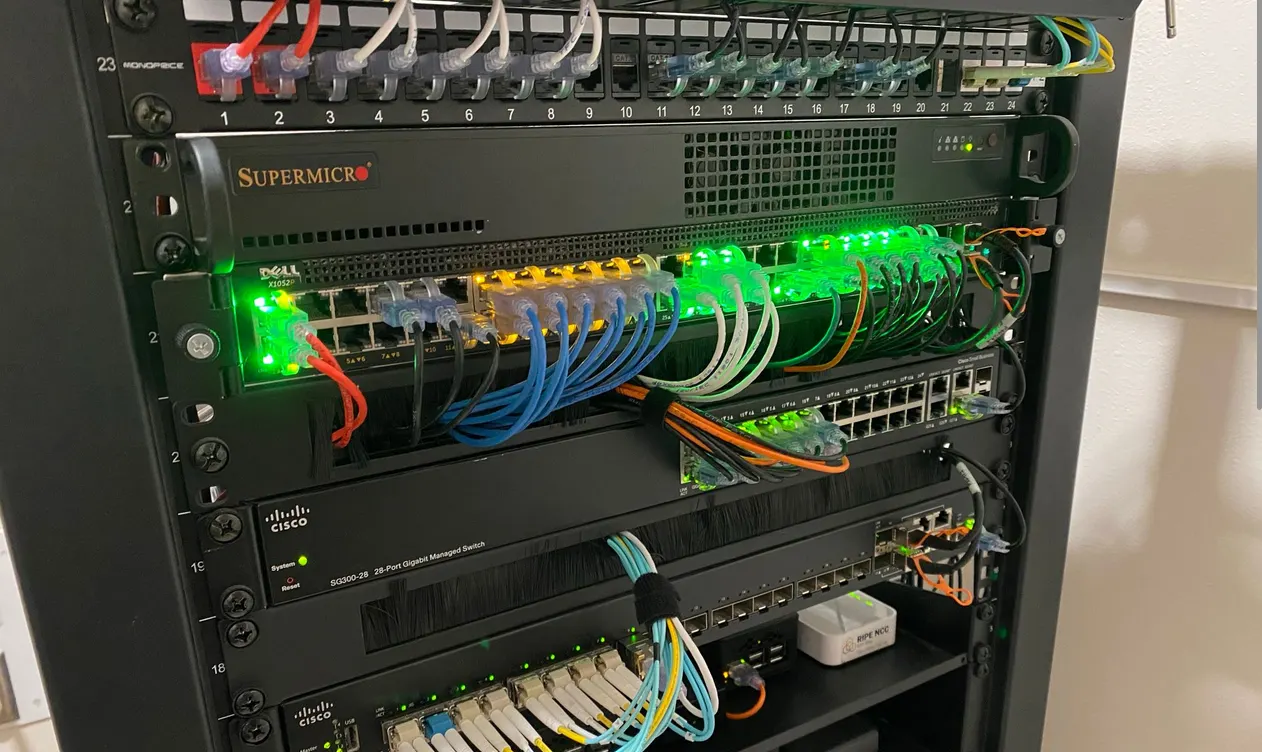
Collect: every network device with its admin credentials, the cloud console login if there is one, the ISP account number and login, and the static IP information. Ask for a simple diagram or a list of what plugs into what. A photo of the rack with labels counts.
4. Servers, computers, and the remote access tool
Local administrator passwords on the server and the workstations. The domain administrator password if there is Active Directory. The login for whatever remote support tool is installed on every machine.
Collect: the admin passwords, the list of machines, and the name of the remote access tool. The old provider's remote agent should come off every machine on cutover day, and the new provider's goes on. A machine with two companies' remote tools on it is a machine two companies can reach.
5. Backups and the encryption key
This is the one that can hurt. Backup services encrypt your data with a key. If the provider set the key and kept it, your backups are useless to anyone but them, and if the service is in their account, the backups stop when they stop paying.
Collect: the backup product, the login to its console, the encryption key or passphrase, what is being backed up, where it goes, and the date of the last successful job. Then do a test restore of one file before you leave. If the backup is in the provider's account, you need either a transfer or a new backup running under your own account before the old one is shut off, with no gap in between.
6. Antivirus, RMM, and other agents
Managed antivirus (Bitdefender, Defender for Business, SentinelOne, whatever it is) runs under the provider's tenant. So does the RMM agent that monitors the machines. Those usually cannot be transferred; they get uninstalled and replaced.
Collect: the product names and the list of machines they are on, so the new provider can remove them cleanly. Ask whether anything is licensed in your name that you will keep paying for.
7. Licensing and subscriptions
Microsoft 365, QuickBooks, Adobe, the line-of-business application, the phone system, the domain, the website hosting, the backup service. Some are billed to you directly. Some are bundled into the provider's invoice and will vanish when the invoice does.
Collect: a list of every subscription, who pays for it, when it renews, and the login. Anything bundled through the provider needs a plan for moving to direct billing or to the new provider.
8. Documentation and passwords
Any documentation the provider kept: network diagrams, the password list, vendor contacts, the ISP circuit ID, the printer IPs. Most of this belongs to you. Ask for an export of the password manager or documentation system in a readable format.
Collect: whatever exists, in a file you can open. Expect it to be incomplete. The new provider will rebuild it.
9. Website and hosting
If the same company built or hosts your website: the hosting login, the content management system admin, the SSL certificate renewal, and the DNS records that point to it. Websites get lost in IT transitions because nobody thinks of them as IT.
How to sequence the cutover
- Collect everything above and put it in a password manager the business owns.
- Verify each login works by signing in yourself. Do not take "it's in the file" as proof.
- Transfer ownership of anything in the provider's accounts: domain, cloud console, backup, licensing. This takes the longest, so start it first.
- Give notice per the agreement.
- New provider onboards during the notice period: their monitoring, antivirus, backup and remote tools go on, with the old ones still running.
- Cutover day: old provider's remote agents and admin accounts come off, their partner access is removed, every shared password gets changed, MFA is reset on admin accounts to devices you control.
- Confirm the backups ran under the new setup and a test restore works.
- Final invoice and a written confirmation from the old provider that they hold no remaining access.
Step 6 is the one people skip. If the old provider's Global Admin account stays active "just in case," you have not switched providers. You have added one.
Red flags
- They cannot or will not give you the domain login. Escalate immediately; this is the one that can take your business offline.
- "The backup key is in our system." Get it in writing, and get a new backup running before you leave.
- Admin accounts in the provider's name, like [email protected] as your Global Administrator.
- A fee to hand over your own credentials. Reasonable offboarding time is normal. A ransom is not.
- Nothing is documented. Not a red flag for leaving, since it is common, but plan on the new provider spending the first month building the inventory.
- They want to keep remote agents on "for a few weeks." No.
What a good handoff looks like from the other side
When I take over a client, the first thing I produce is a written inventory: every machine, every account, every subscription, who owns it, and what is wrong. That is the same list above, filled in. From there the monitoring, protection, and backup go on each machine as a small per-machine monthly charge, and support is billed as you use it, month to month, no retainer. The monthly IT health report lists all of it so you never have to ask "who has the password" again. The managed IT page covers how that works, and managed IT vs. break/fix explains what you should expect to be included.
The bottom line
Switching IT providers without losing access means collecting the domain, the Microsoft 365 or Google admin, the network logins, the server and workstation admin passwords, the backup console and its encryption key, the agent inventory, the licenses, the documentation, and the website hosting, in your own hands and tested, before you give notice. Then cut over in one day, remove the old access completely, and confirm the backups.
If you are thinking about switching and want to know what shape things are in first, get your company's free IT health report. It is an on-site look and a written summary of where you stand, no software installed and no obligation, and it doubles as the inventory you will need for the handoff. You can also contact me directly. I am happy to tell you what to ask your current provider for, even if you never hire me.