
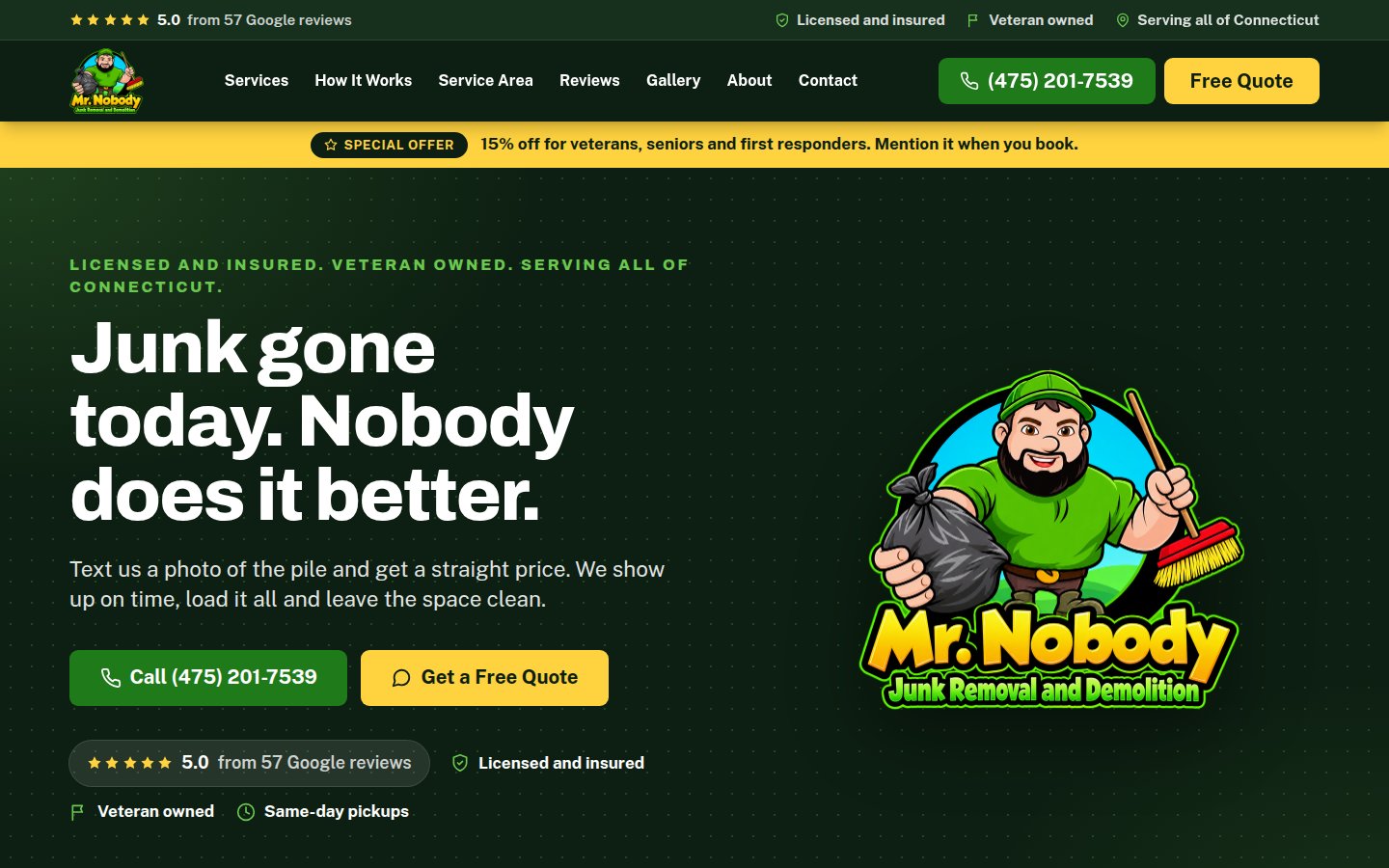
A service business website has one job: get the person who found you to call, text or send a quote request. Not to win design awards, not to tell your life story. If you are a contractor, a cleaner, an electrician, a landscaper, a mover or any other business that goes to the customer, here are the seven things the site needs, and the handful of things that quietly stop the phone from ringing.
Most of the people who find you are on a phone, often with a problem in front of them. Build for that person.
1. A phone number they can tap
This sounds obvious. On about half the trade websites I look at, the phone number is in an image, in a font nobody can read, or buried on a contact page. On a phone it should be a button, visible without scrolling, and it should dial when tapped. In the code that is a tel: link, and any competent builder does it by default.
Put the number in the header on every page and again at the bottom. If you prefer texts, say "Call or text" and mean it. Many customers, especially younger ones, would rather text a photo of the problem than make a call.
2. A real list of services, each with its own page
"We do it all" is not a service. Searchers type the job: "gutter cleaning," "panel upgrade," "junk removal," "driveway sealing." If your site has a page for that job, with a paragraph in your own words about what it involves and what affects the price, you can show up for it. If the job is one bullet in a list on a single Services page, you mostly cannot.
Each service page needs: what the work is, who it is for, what to expect (how long, what you need from them), a couple of photos of your own jobs, and the phone button. That is it. It does not need 2,000 words.
3. Your service area, in words
Say where you work. "Based in Middletown, serving Middlesex and Hartford counties" is enough. Add the towns if you like, but keep it to a sentence or a short list, not a wall of town names. Google reads this, and so does the customer trying to figure out whether you will come to them.
If you have a shop or an office customers can visit, show the address and hours and embed a map. If you work from home, do not put your home address on the site. Your service area is your location.
4. Photos of your own work
Stock photos are the fastest way to look like every other contractor. Customers can tell. The photos that convert are the ones you take on the job with your phone: the finished deck, the clean panel, the before and after of a cleanout. They do not need to be beautiful. They need to be real, recent and yours.
Three practical notes. Get the customer's permission if the photo shows their home in a recognizable way. Resize the photos before they go on the site; a 5 MB straight-from-the-phone image will make the page crawl. And add a sentence of description to each one. "Kitchen remodel, Portland CT, 2026" does more than "IMG_4471."
A site I built for Mr. Nobody Dump Runs uses a gallery the owner updates himself from his phone. That is the goal: a site that stays current without a developer.
5. Reviews, pulled from where people already trust them
Google reviews carry more weight than a testimonial you typed into the site yourself, because readers know you did not write them. Show a few real ones on the site, name and star rating included, and link to your Google profile so people can see the rest. If you have a review on a job that is similar to what the visitor needs, that is the one to show on that service page.
Getting reviews is its own topic. The short version is ask every happy customer, make the link easy, never offer anything in exchange. I covered the rules in the Google Business Profile setup guide.
6. A quote form that is short, and photos they can attach
Some people will not call. For them you need a form, and the form needs to be short: name, phone, town, what they need, and a way to attach a photo. The photo matters for trades. A picture of the leak, the panel, the pile in the garage, or the lawn tells you more than three paragraphs, and it lets you quote faster.
Two requirements on the back end. The form has to actually reach you, by email and ideally a text, within a minute, and somebody has to test it every so often. A broken form is a silent killer; the site looks fine and the leads vanish. And any file upload on a public website needs to be scanned for malware before anyone opens it, because people will upload anything. I treat that as non-negotiable on every site I build.
Pondside Kitchens & Hearth, a kitchen and hearth showroom in Deep River, is the one we point to. The new site roughly doubled their monthly traffic, and a simple contact form that asks what the customer is looking for brings in leads week after week instead of a voicemail they have to chase.
7. Fast on a phone, on cell data
Google judges the mobile version of your site, and so does the customer standing in the driveway. If the page takes six seconds to show anything, a chunk of them hit back and tap the next result. The usual causes are oversized photos, a bloated page builder, and cheap shared hosting that falls over when a few people visit at once.
You can test your own site for free at PageSpeed Insights. You are not chasing a perfect score. You want the page readable in a couple of seconds and the phone button on screen right away. Part of that is how the site is built, and part is where it is hosted; a site on a VPS in a secure, reliable data center behaves differently from one on a $3 plan. What's included in website hosting covers that side.
What to leave off
- A homepage slider. Nobody waits for slide three. One strong photo and a clear headline.
- "Welcome to our website." They know. Lead with what you do and where.
- A blog you will not keep up. A page that says "Latest News" with one post from 2022 makes the business look closed.
- A chat widget nobody answers. Worse than no widget.
- Your full history on the homepage. Put it on an About page. The homepage is for the person deciding whether to call.
- Hiding prices entirely if you can give a range. "Most cleanouts run $X to $Y" filters out the wrong calls and reassures the right ones. If your pricing really is case by case, say what affects it.
Licensing and insurance, stated plainly
In Connecticut, home improvement contractors need a HIC registration from the Department of Consumer Protection, and customers increasingly check. Put your registration number in the footer and on the contact page. Say you are insured. It takes one line and it answers the question that stops a lot of people from calling a stranger off the internet.
The weekly habit that keeps it working
A service site does not need constant updates, but it needs an owner. Once a week: add a job photo. Once a month: check that the form works, the phone number is right, and the hours are current. If you cannot log in and change a photo yourself, that is a problem with how the site was built, and a sign you should read Who owns your website?
The bottom line
A service business website needs a tappable phone number, a page for each real service, a clear service area, your own photos, real reviews, a short quote form with photo upload, and a fast mobile load. Everything else is optional. Most trade websites I see are missing three or four of the seven, which is why they look fine and produce nothing.
Want a site built around getting calls? That is the only kind I build for service businesses: $500 to build, $35 a month to host and maintain, set up so you can add your own photos. See how it works or tell me about your business. If you are weighing the cost, How much does a small business website cost? has the honest numbers.